The first version, from script to finished file
Between 6 and 8 October the mock-ups turned into working screens. Projects, scripts, recording part by part, fixes that never destroy the originals, editing, music, export and project packages.
The fourth post in the series about how Tellavio is being built.
After the prototype it was time for an app you could actually use. In three days, from 6 to 8 October, screen after screen from the mock-ups came to life. We checked them on real phones and a tablet, not just in an emulator.
Project and script
You start with a workspace, the brand or area you record for. Inside it you create projects: single stories or articles. The app splits the pasted text into parts. You can split, add and reorder them, also with “up” and “down” buttons, not only by dragging. Every change saves itself.
The app also suggests what to do next, and progress only counts recordings that match the current version of the text.
Recording and takes
You record part by part. A pause adds no silence, and a mistake marker only marks the spot. Every attempt is a separate take. You can listen to them, pick the best one and move the others to the bin. The bin is a list, not an instant delete.
Fixes that destroy nothing
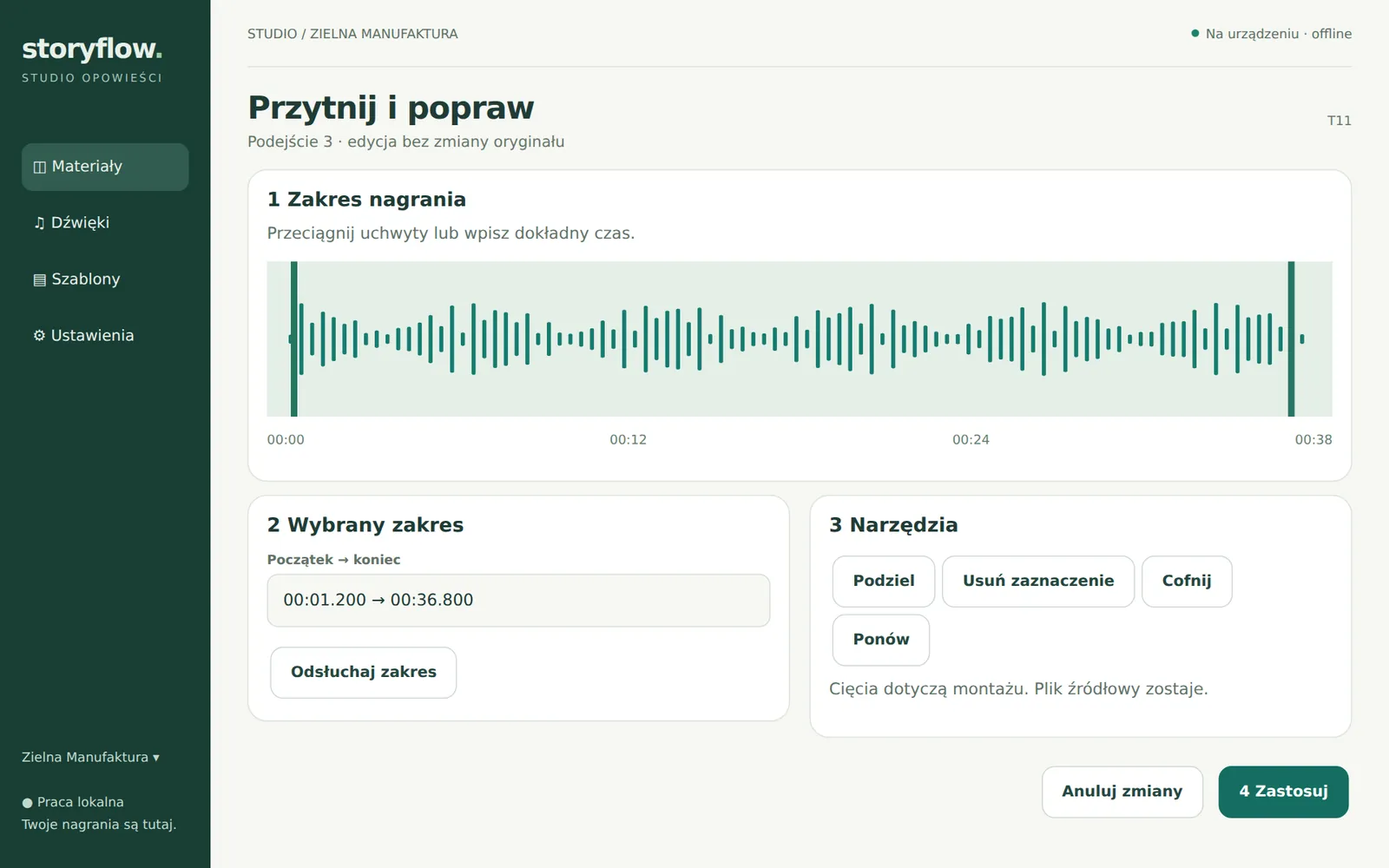
This is one of Tellavio’s key rules: original recordings never change. When you trim a slip, the app only stores which piece to skip. You can always go back to the full recording.
Editing and music
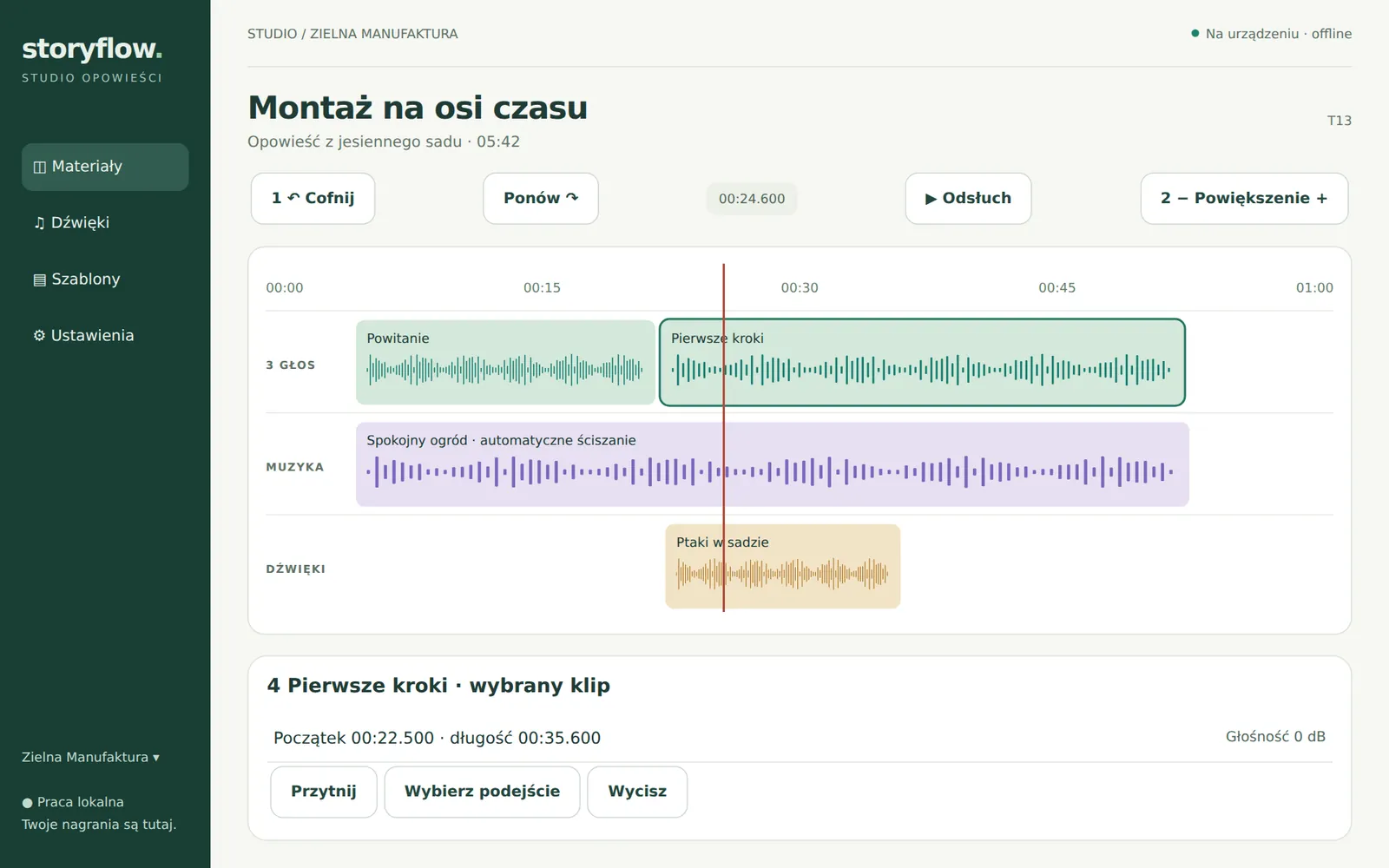
Parts line up as editing cards, and on a tablet also on a timeline with three labelled tracks. Add to that a sound library with a note on the rights to each file, and voice and music settings: loudness levelling, a “Natural voice” preset, a music bed that ducks under speech, an intro and an ending. A recurring setup can be saved as a template for future projects.
Export
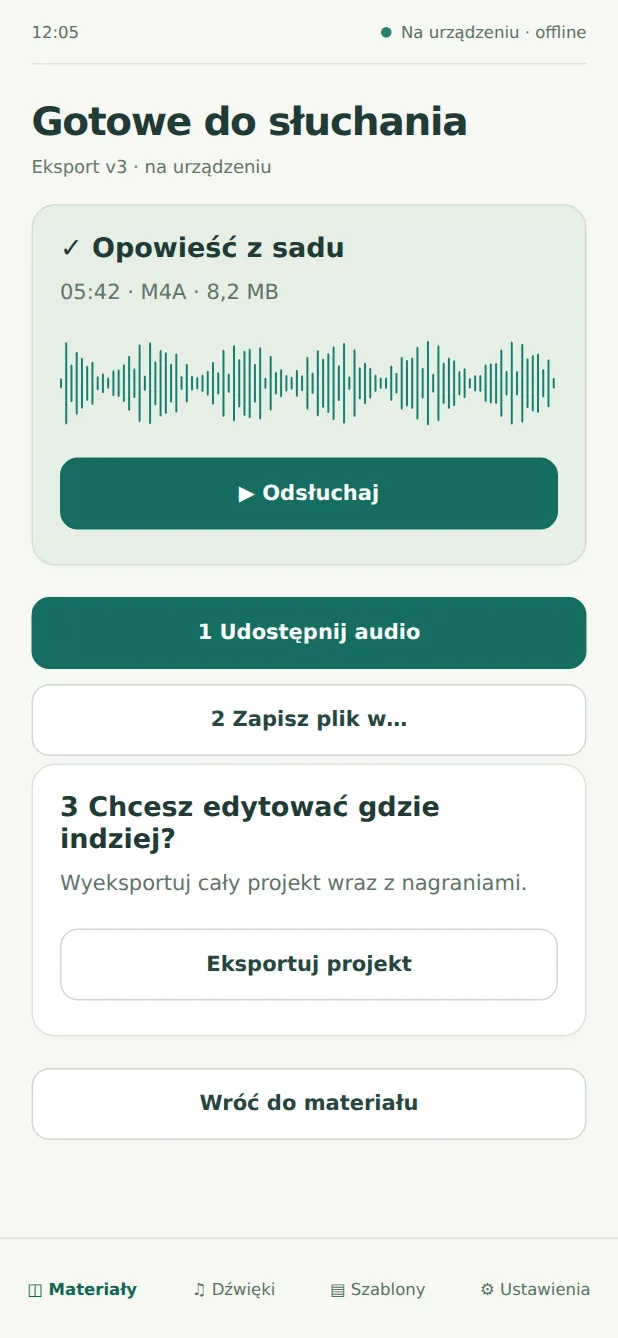
Export always renders a “frozen” version of the project. You can keep working, and the file will still match what was there when the export started. The result first goes to a temporary file, gets checked, and only then shows up as ready.
Project package
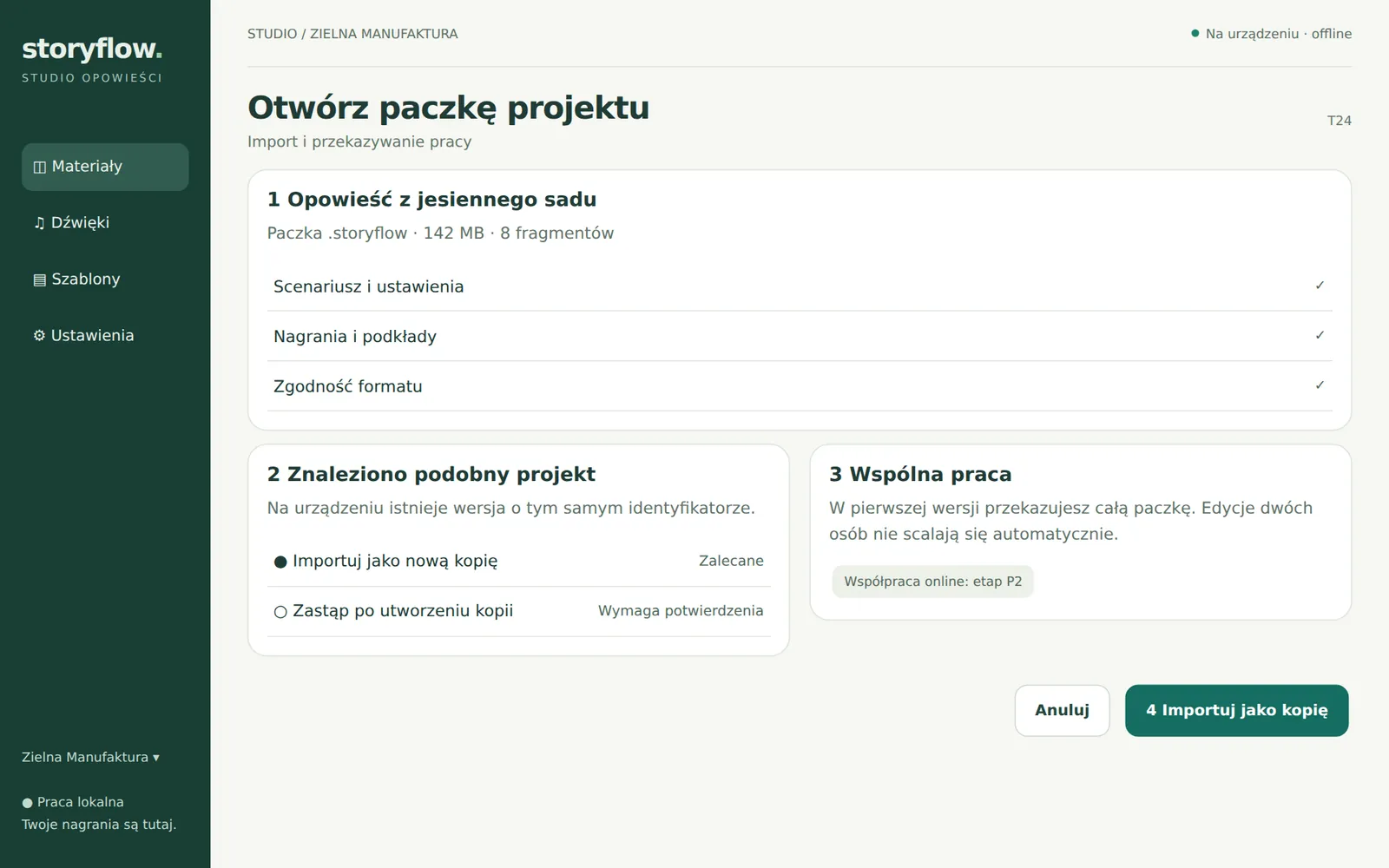
The whole project, meaning text, recordings, settings and music, can be saved as one .storyflow file. It is a regular ZIP archive with a description of its contents and checksums of the files. On another device you always open it as a copy, so nothing gets overwritten by accident. The package format is documented publicly at tellavio.com/format.
Accessibility from the start
On 7 and 8 October the app already went through an accessibility review: text enlarged to 200%, names for every button for the TalkBack screen reader, and the microphone level described in words, not just as a bar.
From 9 October version 0.4.0 was available for download on tellavio.com. How the website itself came about, and why the account is only an option, is the topic of the next post.