A website, an optional account and scripts from the browser
Tellavio works without an account, but sometimes it is easier to write the text at a computer. That is how tellavio.com, the optional account and scripts that travel between the browser and the app came about.
The fifth post in the series about how Tellavio is being built.
A recording app needs a website. People have to download it, check what happens to their data, and learn what a project file looks like. The first version of tellavio.com was built on 6 October, and since 7 October it has been live at its own address, over an encrypted connection.
A website without tracking
From the start the site has had a privacy policy, a download page with file checksums (SHA-256) so you can verify that a file has not been swapped, and a public description of the project package format. There is no analytics, no ads and no scripts from third-party services. The privacy policy promises this, and this blog follows the same rules.
An account only if you want one
The decision came right away: the account is optional. Recording, editing and export always work without one. An account (e-mail and password, or Google sign-in) adds extras, above all scripts you can reach from a browser. You can delete the account yourself at any time, in the app or on the website.
By 8 October accounts were running on the server. A new account gets a sample script to start with, so you can see right away how it works.
A script from the browser to the app
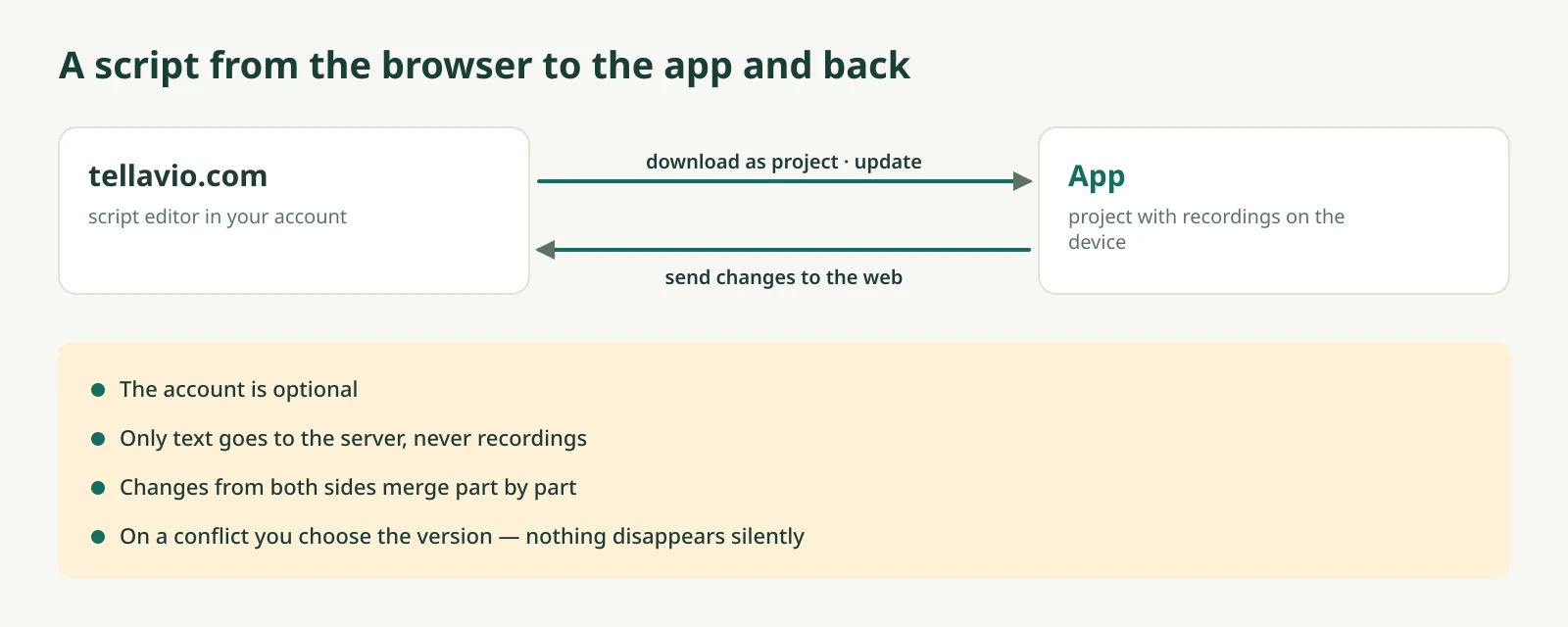
A longer text is easier to write on a computer. tellavio.com has a script editor. You can paste or import text, including Markdown, split it into parts and save it to your account. In the app you download it as a new project.
Since 8 October this works both ways. When you change the text in the app, you can send the changes to the website. When you change it on the website, the app shows what will change in the project before it updates anything.
When both sides changed the same thing
The most interesting problem is conflicts. Say you fixed a part in the app on your tablet, having earlier changed the same part on the website and forgotten about it. Tellavio compares three versions: the one both sides started from, the app version and the website version. Changes in different parts merge on their own. When the same part was changed in two places, you decide. Nothing disappears silently.
Only text goes to the server. Recordings never leave the device unless you export them yourself.
The panel and the first release
On 8 October an admin panel appeared too: an overview of accounts, uploading app releases and a log of every change. The panel shows only script metadata, never their text. On 9 October version 0.4.0 of the Android app appeared on the download page.
Next time: how the same audio core made its way to the computer and into the browser.