Tellavio as the narrator app for Pointale audio guides
The guide text is written in Pointale, the recording is made in Tellavio. Here is how we connected the two with a shared contract, why recordings do not pass through our server, and why you sign in through the browser.
The seventh post in the series about how Tellavio is being built.
Pointale is an audio guide portal. An author writes a route with stops and stories, and listeners walk it and listen. Someone has to read those stories aloud. From the start we wanted Tellavio to help in exactly this kind of situation: the text is written in one service, and the recording is made on the narrator’s phone.
A shared contract instead of separate plug-ins
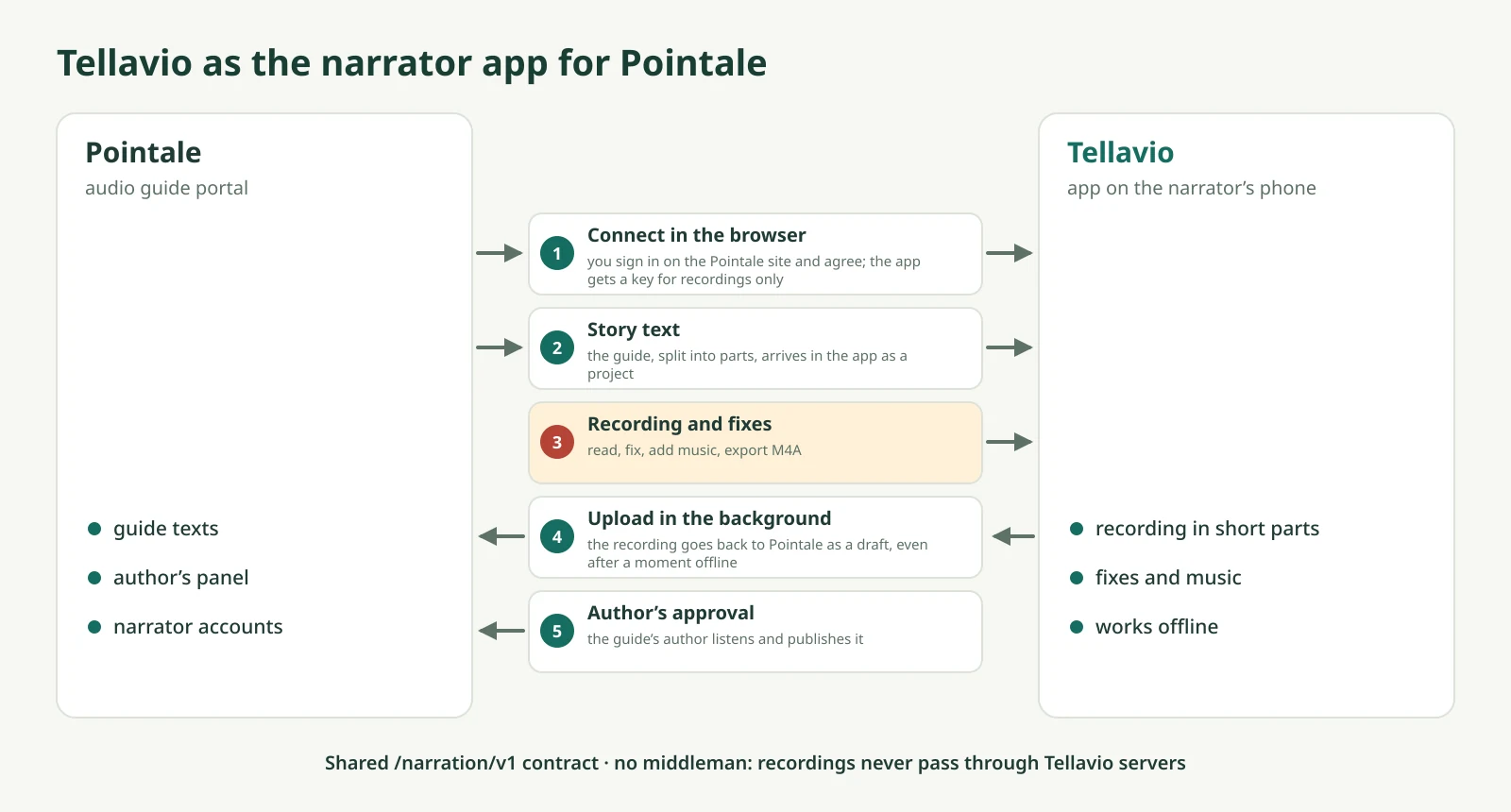
On 21 October we described the Narration API contract (/narration/v1). It is a shared “language” a text service uses to talk to the narrator app. Any service that offers it can accept recordings from Tellavio. The first were Pointale and an article site Tellavio had been designed for from the start.
A few rules from that decision:
- The app connects to the service directly. The recording does not pass through the Tellavio server. We do not need to store it, and you do not need to trust us with it.
- The service, not the app, splits the text into parts. Only the service knows what in its content is meant to be read and what is not (a table, say, or a box about the app).
- The service knows which recording is out of date. Every recording remembers the version of the text it was made from. When the author changes the text, the service can tell the old recording from the new one.
- Drafts by default. A recording lands in the author’s panel as a draft. Sending the wrong file changes nothing on the page listeners see.
What it looks like in the app
In the app settings you add a recording source. You see the list of stories from the service and download the one you want as a project with its parts ready. You record, fix and export as usual. The export uploads in the background. If the network drops, the upload finishes later without creating a duplicate. If the author changed the text in the meantime, the app offers “Update project” and shows which parts need recording again.
Pointale made the contract available on its server on 2 November. The same day we tested the whole path on four devices running Android 10, 13, 15 and 16 against a local copy of Pointale: connecting, downloading the parts, recording, M4A export and a draft in the author’s panel. The connection to the live service was confirmed on the tablet.
A pitfall: the keyboard “fixed” the server address
One of the phone tests failed for a surprising reason. The Gboard keyboard “corrected” the service address and the e-mail address in the connection form, just as it corrects ordinary text. Since version 0.5.1 these fields have autocorrect turned off. A small thing, but without it connecting from a phone was sometimes impossible.
Connect in the browser
The first version of the connection asked for the service e-mail and password inside the app. It soon turned out not to be enough. Narrators of Pointale guides often sign in with a Google account and have no password. We also did not want the app to see a password to someone else’s service at all.
On 16 November a “Connect in the browser” button arrived in the app. The app opens the service’s page in the system browser. You sign in there as usual, with any method, and give your consent. The browser returns to the app with a one-time code, which the app exchanges for a key. That key only allows downloading texts and uploading recordings. It gives no access to the author’s panel or the account, and you can disconnect it in your service profile.
We ruled out signing in through a window inside the app. The service cannot see its own session there, Google blocks sign-in in it, and the app could peek at the password. PKCE protection makes even an intercepted code useless to another app.
The app is ready for this. Now the services are building their consent pages, and once they are live we will run manual tests on devices.
In the last post of the series: the pitfalls we ran into along the way, and what comes next.